
Statement review guide
How to Read Bank Statement Transactions Before You Analyze Them
Before asking where your money went, make sure you understand what each row says. Start with the statement period, then read the transaction date, description and amount direction. A total is only useful when the rows behind it mean what you think they mean.
Read the period first
A bank statement covers a defined period and records posted activity. Your banking app may also show newer or pending items. Comparing those two views without checking dates can make an otherwise correct total look wrong. Use the dates printed on the statement rather than assuming every file covers a calendar month.
Read one transaction from left to right
Here is an invented row, not a screenshot from a bank and not a customer transaction:
| Field | Example | What to check |
|---|---|---|
| Statement period | September 1–30, 2026 | The row belongs to this statement’s scope |
| Posting date | September 29, 2026 | Use the field’s actual label; another date may describe a different processing step |
| Description | EXAMPLE MARKET 014 | Match it to your receipt; the abbreviation alone does not prove the purchase category |
| Debit / outgoing amount | 64.30 USD | This example means money left the account |
| Credit / incoming amount | Blank | No incoming amount is recorded on this example row |
For a manual note, you could write “September 29, example market, $64.30 out.” If your own receipt shows that you bought household supplies rather than groceries, that evidence should guide the category.
Do not guess the amount convention
Some exports use a signed Amount column; others separate Debit and Credit. Do not decide the direction from the absence of a minus sign alone. Check the bank’s column labels and compare a transaction you recognize.
Dates such as 09/03/2026 also need context. Confirm the export’s convention before treating that entry as September 3 or March 9. In a supported HNT import, review any focused choice for an ambiguous date, amount direction or currency. Do not accept an interpretation merely because it produces a plausible-looking total.
Move from readable rows to a reviewable overview
Where Did My Money Go? groups supported statement transactions into money-in, money-out and category views. It does not connect to your bank or explain every unfamiliar merchant name for you. Keep the original statement and review flagged or excluded rows.
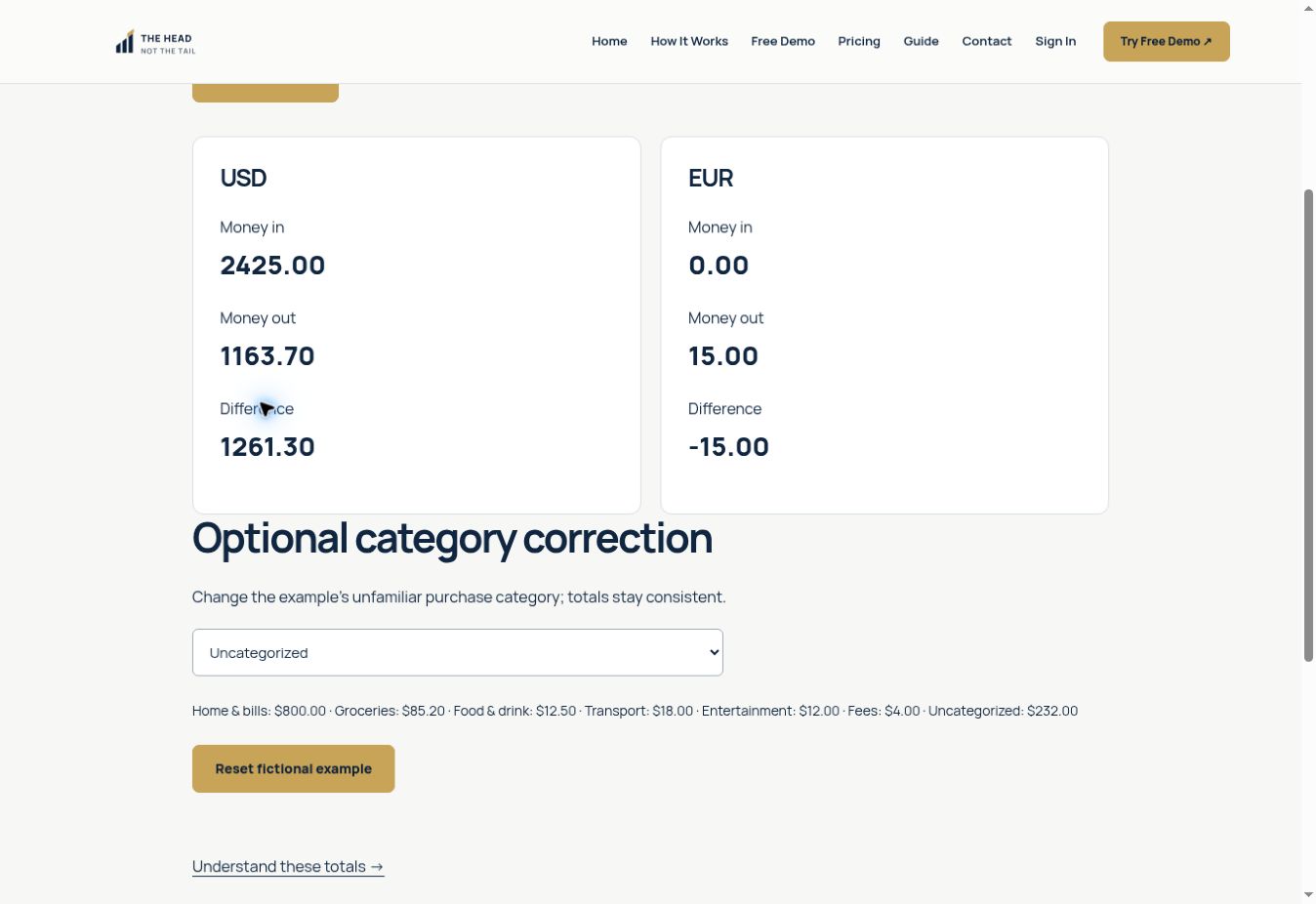
The public fictional demo shows the next stage: separate currency totals and one optional category correction. It uses its own fictional transactions; the $64.30 example above is not part of that demo.
Know which question needs another check
If you do not recognize a transaction, use your bank’s official contact channel to ask about it. The app’s category label is not a determination that a charge is legitimate. For an apparent balance mismatch, compare the statement’s period and included transactions before reading the app’s Difference as a balance.
Continue with formats and import limits, reviewing category suggestions or why Difference is not your bank balance.
Try the free fictional demo to see the labels in action. For the supported statement review and current purchase status, visit Where Did My Money Go? Purchases are currently closed; the demo does not accept your files.
Background reference: TD Bank: What Is a Bank Statement & How to Read Them. The worked examples here are original and fictional. This is transaction-review education, not personalized financial, tax or accounting advice.
Examples are fictional. App behavior is illustrated with the public demo; supported formats and limitations are documented separately. These guides explain transaction review and do not provide personalized financial, tax or accounting advice.